The Problem
A freediver surfaces with a beautiful clip and no way to prove the dive. The footage shows blue water and a fin kick, but the number that mattered, how deep, how long, how the heart rate fell, lives on a dive computer that never talked to the camera.
The workaround was ugly. Screenshot the dive computer, drop the image in a corner in a general purpose editor, eyeball the sync against the video, and hope the timestamps roughly lined up. It was slow, it looked bolted on, and it was wrong more often than not, because a still screenshot cannot follow the depth as the diver descends and ascends.
The other half of the problem was color. Water swallows red first, so every underwater clip drifts blue-green and flat with depth. Fixing that by hand in a desktop grader is a skill most divers do not have and do not want to learn between dives.
The Insight
The dive computer already recorded the entire dive as data. A FIT file from a Garmin Descent, Suunto, Shearwater, or an Apple Watch with Oceanic+ holds the full depth profile, timestamped, second by second, plus heart rate and temperature. The information to draw a live, moving HUD was already sitting in the diver’s pocket. Nobody was reading it into the video.
So the product was not a video editor with a dive theme. It was a sync problem with a single hard step: align video time to dive time once, and everything else, the depth tape, the max depth marker, the heart rate, the descent rate, follows automatically for every frame.
The color problem had the same shape. The distortion water applies is predictable, it depends on depth, so a small pack of purpose built LUTs tuned for how light dies underwater beats a general grader for the one job divers actually need.
The Approach
DiveCut is a native iOS app, SwiftUI throughout, iOS 17+, built around an AVVideoComposition and a CIFilter chain, with the export HUD rendered as a CALayer tree composited by AVFoundation’s Core Animation tool. The FIT log is parsed on device with Garmin’s open source FIT SDK. Three decisions shaped it.
Sync happens once, by hand, and then it is locked. There is no continuous tracking to drift out of alignment. The diver scrubs to the exact frame they broke the surface, taps once, and DiveCut pins video time to dive time for good. Every HUD value from then on is a lookup into the FIT profile at the current frame’s dive time, sampled and interpolated between log points.
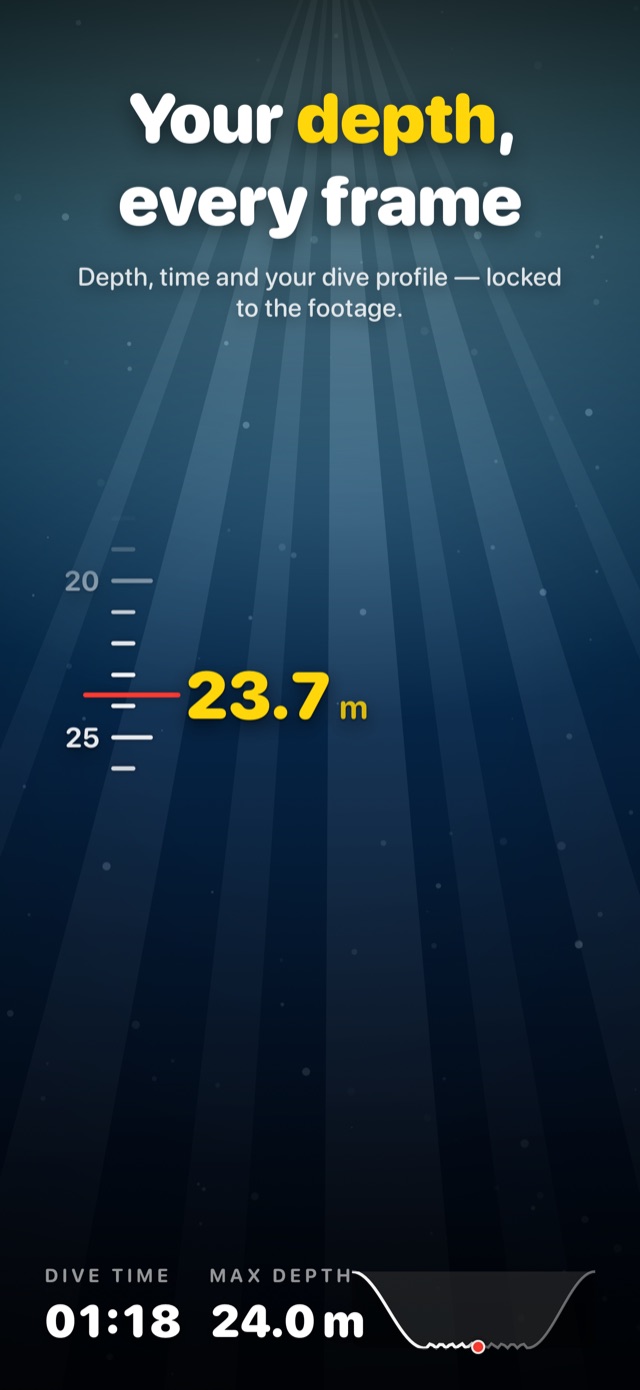
The HUD reads like a dive watch, not a data overlay. A centered depth tape with softly fading ticks, a red marker at the current depth, a bold yellow readout, and a dashed line that tracks the deepest point reached. An optional info bar shows dive time, max depth, and heart rate; a corner readout shows vertical rate in m/s, colored by descent or ascent.
Nothing leaves the device. No account, no upload, no analytics SDK, no tracking. Footage and FIT files are copied into the app’s sandbox and never transmitted. The only outbound call is to the App Store for the one time purchase. For a tool that handles personal dive data and location bearing video, on device was a product stance, not a limitation.
The Build
The whole flow is one continuous take, annotated, no timeline and no render queue.
- Import, pick a dive video from Photos, iPhone, GoPro, DJI, and Insta360 clips all work, then drop in the FIT log from a dive computer or fill in a manual entry
- Sync, scrub to the surface frame and tap once to align video time to dive time permanently
- Depth gauge HUD, a dive-watch style depth tape with current depth, dive time, heart rate, and a max depth marker, driven by sampled keyframes from the FIT profile
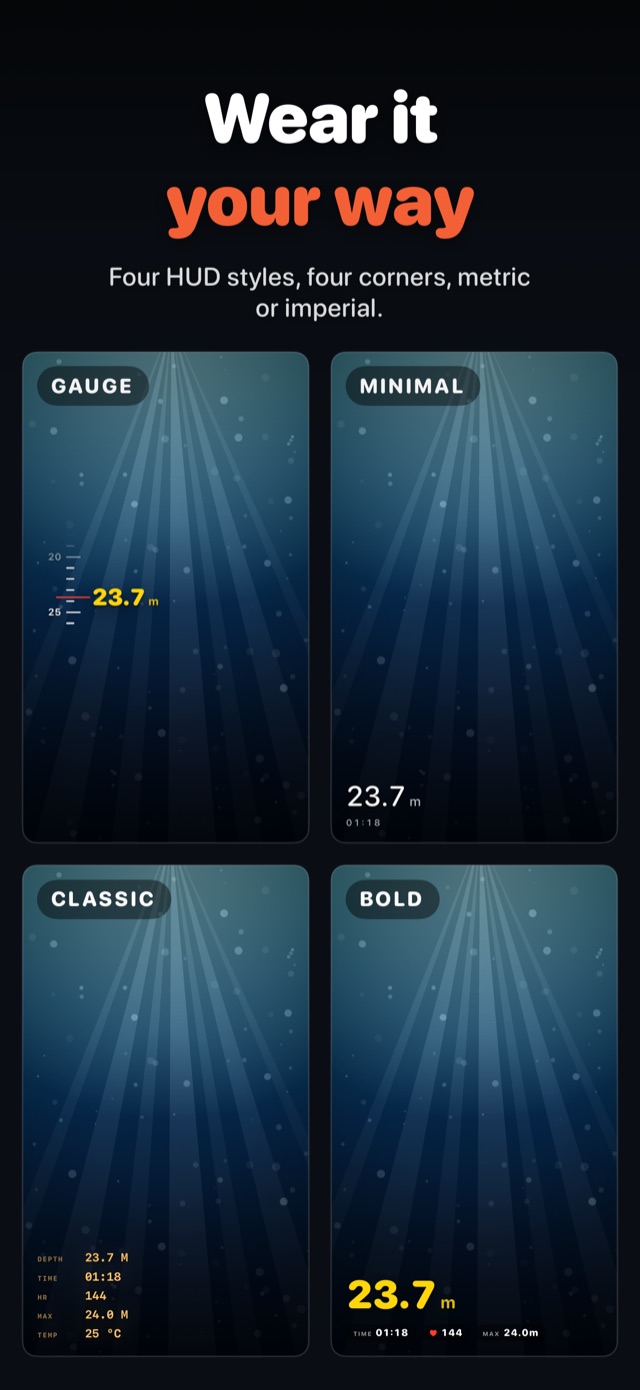
- Four HUD styles, Gauge, Minimal, Classic, and Bold, four corner anchors, and metric or imperial units
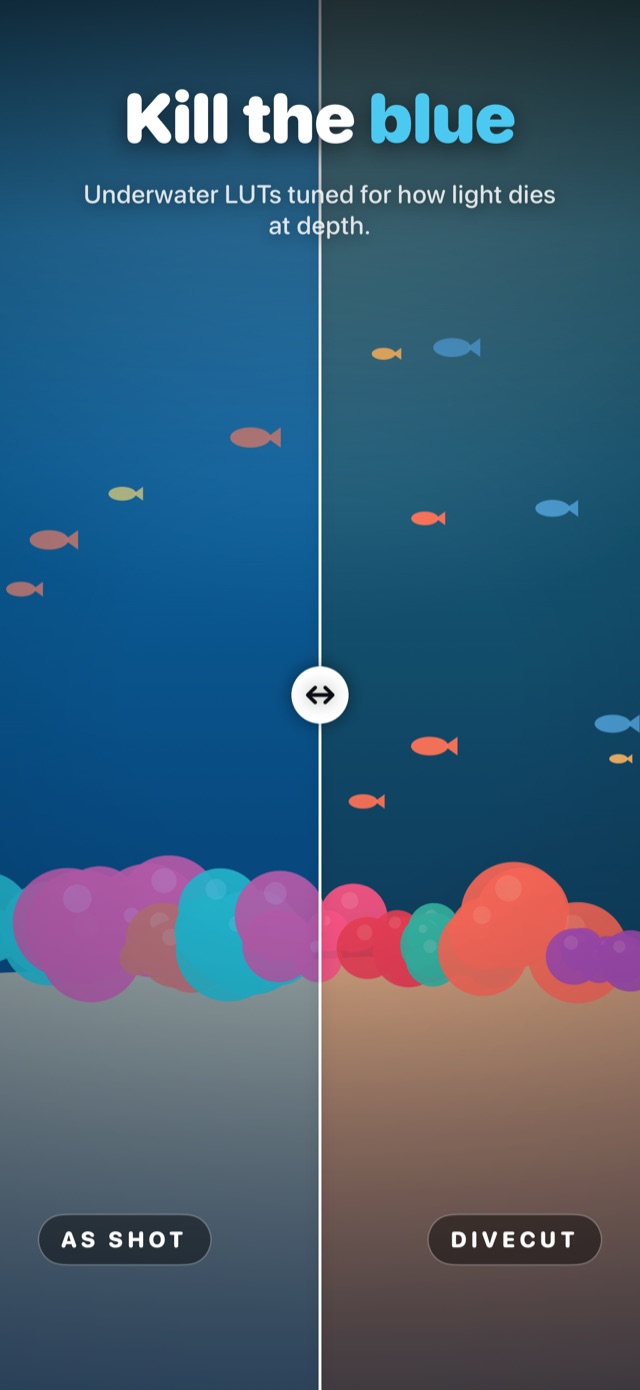
- Underwater color, a LUT pack tuned per depth, Tropical Reef Shallow, Tropical Reef 10m, Deep Blue, and Kelp Forest, with manual adjustment sliders and custom
.cubeimport for Pro - Export, save back to Photos in source, 4K, 1080p, or 720p, H.264 or HEVC, with the HUD baked in, running in the background so the phone can be put down
Where My Judgment Showed Up
The decisive calls were about scope and where to hold the line.
- One clip, no timeline, on purpose, most freedivers shoot a single continuous take per dive, so a multi-clip timeline would have turned DiveCut into a general editor, which is exactly what it is not. Combine clips elsewhere first, then bring the result in
- Sync once and lock, rather than continuous tracking, a single manual alignment at the surface is more robust than trying to auto-track, and it cannot silently drift mid-clip
- A curated LUT pack over a full grading suite, the distortion water applies is predictable, so four depth-tuned looks plus sliders solve the real problem without asking divers to become colorists, with
.cubeimport left open for those who want it - On device and offline as a stance, no account, no upload, no analytics, the only network call is to the App Store, because the trust cost of handling dive data any other way was not worth it
The Outcome
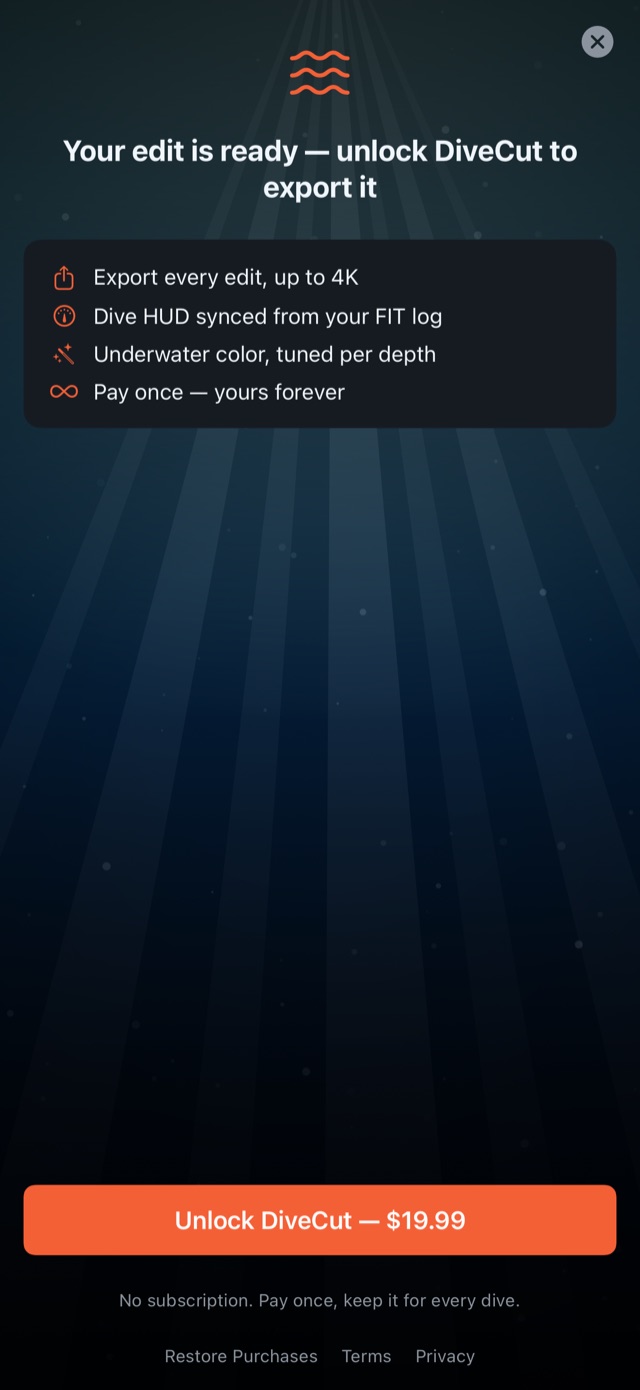
DiveCut is live, with the iOS app and the marketing site at divecut.freediver.space. It ships as a free editor, edit, grade, and preview the full synced HUD before paying, with a single one time purchase that unlocks export. No subscription, no ads, no account.
What I Learned
The best feature was the one the diver never has to touch, the sync that just works for the rest of the clip after a single tap. The temptation with dive data is to expose every knob; the win was hiding almost all of it behind one alignment step and letting the FIT profile drive everything downstream.
The second lesson was that constraint is a feature. Saying no to a timeline, no to multi-clip, no to cloud, and no to accounts made the app faster to use and easier to trust, and it kept the whole pipeline on device where dive footage belongs. A tool that does one thing, turns a dive into a shareable clip with the numbers baked in, beats a general editor that does it grudgingly.